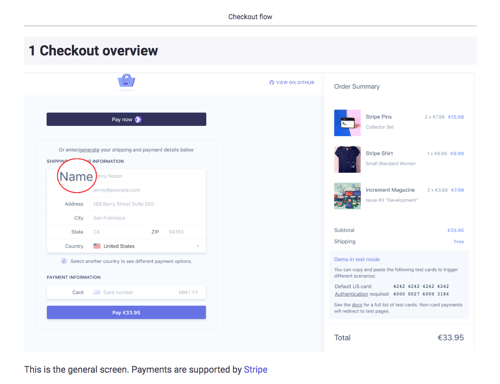
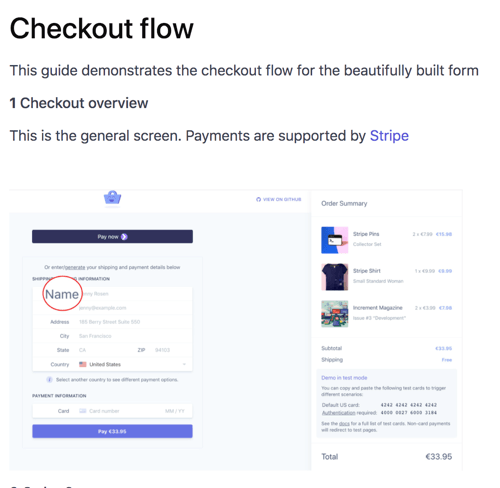
PDF ExportCreate professional, print-ready PDFs that look exactly how you want them. Perfect for training manuals, SOPs, and documentation that needs to be shared offline or printed. Customize everything from headers to fonts-or use our smart defaults and export in seconds.
Why teams love PDF export
- Print-ready instantly: Perfect formatting for training binders and handouts
- Always accessible: Works offline, no internet required
- Looks professional: Add your logo, brand colors, and custom headers
- Easy navigation: Auto-generated table of contents with page numbers
- Full control: Choose page layout, image size, and step flow
- Preview before exporting: See exactly what you'll get
- Advanced customization: Add custom CSS for pixel-perfect designs
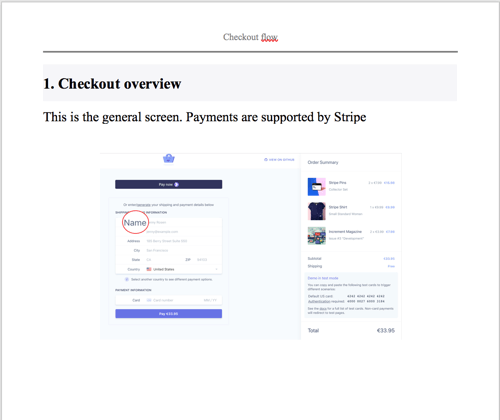
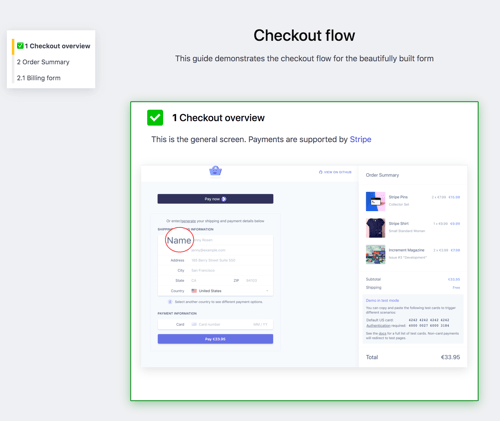
Word Document ExportNeed to edit your guide after exporting? Word documents give you complete flexibility. Perfect when stakeholders want to add comments, make quick edits, or collaborate on the final version. Export in seconds with all the customization options you'd expect.
Why teams love Word export
- Fully editable: Make quick changes without recreating the guide
- Great for collaboration: Stakeholders can add comments and suggestions
- Smaller file sizes: Lighter than PDFs, easier to email
- Universal compatibility: Opens in Word, Google Docs, and more
- Custom branding: Add your logo and brand colors to headers and footers
- Smart formatting: Auto-generated table of contents and page numbers
- Rich text support: Preserve formatting, links, and styles
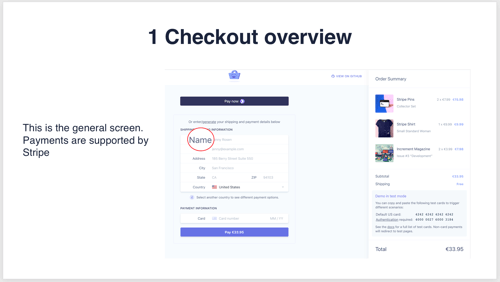
PowerPoint ExportTurn your guides into presentation-ready slides in seconds. Perfect for training sessions, demos, and team meetings. Each step becomes a clean, professional slide that's ready to present-no reformatting needed.
Why teams love PowerPoint export
- Presentation-ready instantly: Clean slides, no reformatting required
- Perfect for training: Walk through each step with your team
- One step per slide: Clear, focused content that's easy to follow
- Custom branding: Match your company's colors and fonts
- Professional cover slide: Make a great first impression
- Easy to edit: Tweak slides in PowerPoint after exporting
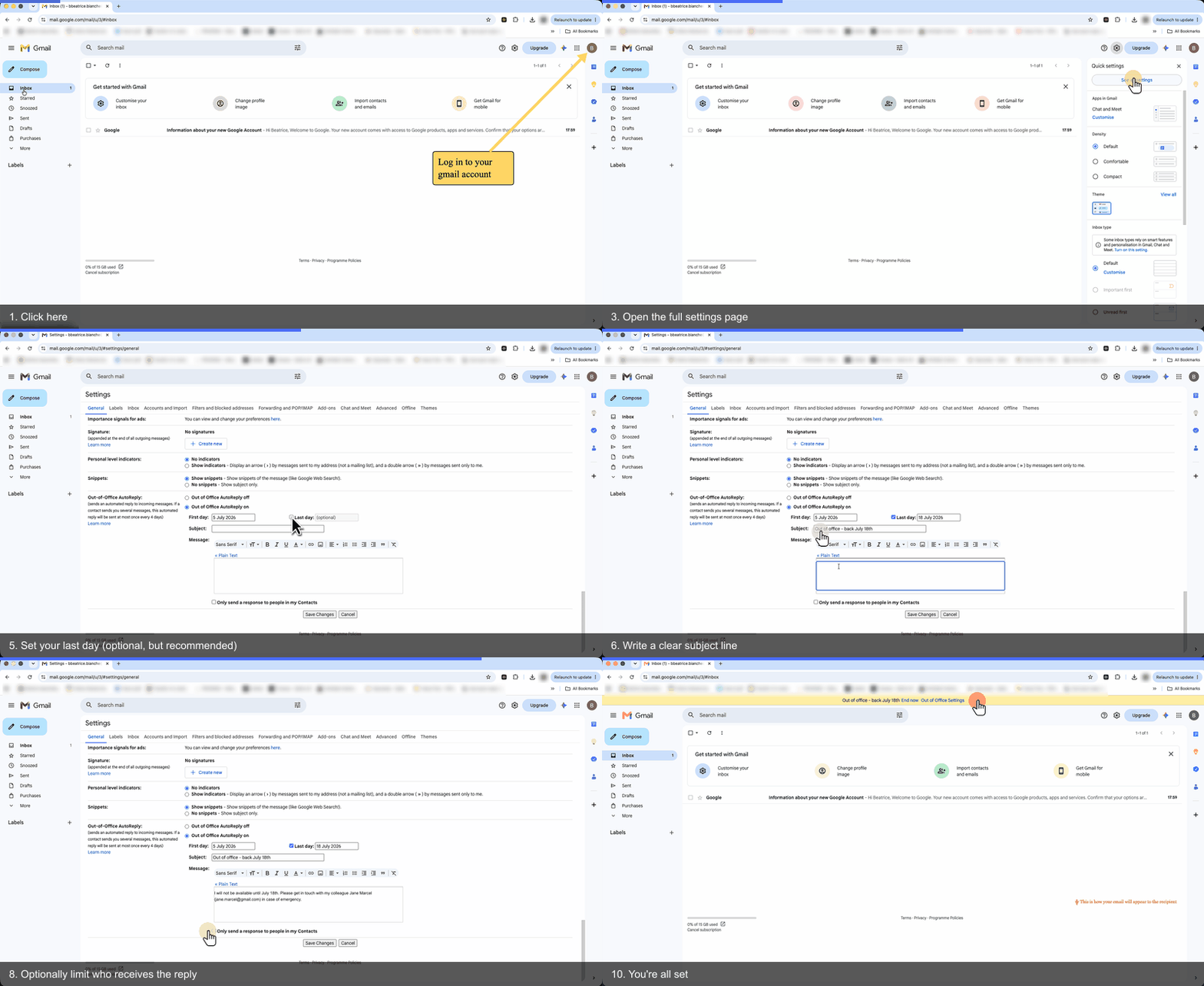
Animated GIF ExportTurn a guide into a looping animated GIF - each step becomes a frame, played in order. Perfect for chat threads, bug reports, wikis, and quick visual walk-throughs where a static screenshot or full document is too much. Configure per-step duration, max width, loop, background color, a progress bar, per-step title overlays, and an optional title-card first frame. Includes an in-app preview so you can iterate before exporting.

![Animated GIF export example - each step is a frame, looping]()
Play animated GIF · ~0.5 MBLoading…
Why teams love GIF export
- Chat-ready: Drop straight into Slack, Teams, Discord, or any chat app - no upload, no link, just a self-contained animation
- Bug reports & wikis: Show the steps to reproduce or perform a task in seconds, without a full document
- Configurable timing: Per-step duration so viewers can actually read each step
- Progress bar & titles: Optional progress bar and step-title overlay so viewers always know where they are
- Title card: Optional first frame showing the guide title and description
- Looping: Loops by default so viewers can rewatch without rewinding
- Preview before export: Built-in preview lets you check timing and layout before saving the file
SCORM Package ExportTurn a guide into a trackable e-learning course. Folge exports a self-contained SCORM 1.2 .zip you upload to any LMS - Cornerstone, Docebo, Moodle, TalentLMS, SAP SuccessFactors, and more. Learners get a step-by-step player (one step per screen, progress bar, contents menu, completion screen), and your LMS records completion and time. No accounts, keys, or servers to configure. See the SCORM authoring tool page →
Why teams love SCORM export
- Works with any LMS: SCORM 1.2 is supported by virtually every learning platform
- Completion & time tracking: The LMS records when learners finish and how long they took
- Self-contained & offline: One
.zip, no server or Learning Record Store to set up - Step-by-step player: Progress bar, “Step X of Y”, contents drawer, and a completion screen
- Your branding: Logo, colors, and custom CSS restyle both content and player (full licenses)
- Free to try: Available on the free plan (screenshots watermarked)
- Preview before export: Click through the real learner player in-app first
Instructional content, so it reports completion and time - not a score or pass/fail. xAPI/cmi5 aren't supported yet.

🎬
Screenshot slot
SCORM player - one step per screen
/images/scorm/player-step.png
Simple HTML ExportCopy-paste ready HTML that works anywhere. Perfect for embedding in your knowledge base, sending in emails, or pasting into Confluence, SharePoint, Notion, and other tools. Clean, lightweight code that just works. Tip: for fully automated publishing to Confluence or Notion, use the Confluence or Notion integrations - no copy-paste required.
Why teams love Simple HTML export
- Works everywhere: Paste into Confluence, Notion, SharePoint, or any editor
- Email-ready: Copy and paste directly into email bodies
- Self-contained option: Embed all images and CSS into one file
- No dependencies: Clean HTML that doesn't break
- Confluence-optimized: Export without wrapper tags for perfect compatibility - or use the Confluence integration to publish in one click
- Customizable: Add your own CSS or adjust image paths
- Table of contents included: Make long guides easy to navigate
Rich HTML ExportInteractive HTML with checkboxes and a floating table of contents. Perfect for creating checklists, onboarding flows, and training materials where users need to track their progress. Embed anywhere or host on your own site.
Why teams love Rich HTML export
- Interactive checklists: Users can check off steps as they complete them
- Floating navigation: Table of contents follows users as they scroll
- Track progress: Visual indicators show how far users have gotten
- Perfect for training: New hires can work through guides at their own pace
- Embed anywhere: Works in knowledge bases, websites, and intranets
- Self-contained: Option to embed everything into one file
- Fully customizable: Add your CSS to match your brand
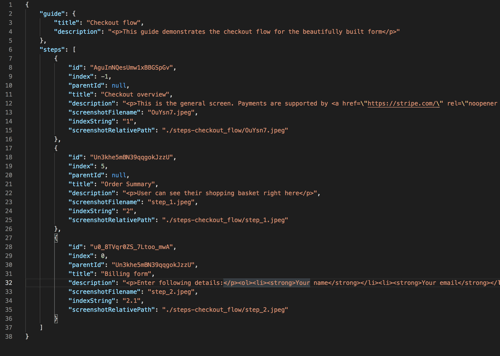
JSON ExportBuild your guides into your product, workflow, or custom system. JSON export gives you structured data you can integrate anywhere-perfect for developers who want to embed guides into apps, tools, or automated workflows.
Why developers love JSON export
- Integrate anywhere: Build guides into your product or workflow
- Structured data: Clean, predictable format that's easy to parse
- Custom rendering: Display guides exactly how you want
- Automation-ready: Trigger exports via API or build automated pipelines
- Full flexibility: Control image quality, paths, and step formatting
- No lock-in: Own your data in a universal format
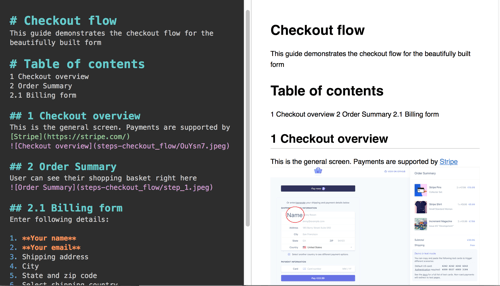
Markdown ExportPerfect for developers and technical teams. Export guides as clean Markdown files that work with GitHub, GitLab, Notion, and any knowledge base that supports .md files. Version control your documentation alongside your code. Tip: skip the export step entirely with the Notion integration - publish straight to your workspace as native blocks.
Why developers love Markdown export
- Version control friendly: Commit guides directly to GitHub or GitLab
- Universal format: Works everywhere-Notion, Obsidian, any .md reader
- Clean and readable: Plain text that's easy to edit and review
- Perfect for READMEs: Turn guides into repository documentation
- Auto table of contents: Built-in navigation for long guides
- Customizable output: Control image paths and step formatting
Online GuideShare guides instantly with a single link. No downloads, no installations-just click and share. Perfect for customer support, training remote teams, and sending quick how-tos. Works beautifully on mobile and desktop.
Why teams love Online Guides
- Share instantly: One click to publish, one link to share
- No downloads required: Recipients just open the link
- Works everywhere: Perfect on mobile, tablet, and desktop
- Customizable links: Create branded, memorable URLs
- Control access: Make guides public or keep them private
- Part of Folge Cloud: Hosted, fast, and reliable
- Coming soon: Collections, custom branding, analytics, and password protection
Embeddable WidgetEmbed interactive guides directly into your website, knowledge base, or tool. Works with Confluence, Notion, SharePoint, Webflow, Wix, and any platform that supports iframes. Users can step through guides without leaving your site. Tip: for fully native (non-embedded) pages in Confluence, Notion, or WordPress, use the Confluence, Notion, or WordPress integrations instead.
Why teams love embeddable widgets
- Embed anywhere: Works in Confluence, Notion, websites, and more
- Interactive experience: Users click through steps with prev/next buttons
- Keyboard navigation: Arrow keys work for power users
- Automatic scrolling: Always shows the right content
- Fully responsive: Adjust widget size to fit your layout
- Part of Folge Cloud: Fast loading, reliable hosting
- Coming soon: Flow mode for visual walkthroughs
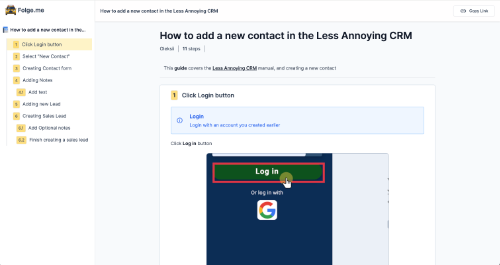
Try clicking through the widget above ↑
 PDF
PDF Word
Word PowerPoint
 Rich HTML
 SCORM
SCORM Animated GIF
 Markdown
 JSON
JSON Online Guide
 Widget